What Small Business Owners Miss About Google Ads Management
You turned on Google Ads. Clicks started coming in. Your phone stayed quiet, or the few calls you did get were from people who were never going to buy.
That is the real problem. It is not that Google Ads do not work. It is that most small businesses treat ads like a magic ATM, not part of a connected marketing system that turns traffic into booked calls and customers.
We have managed ads for small businesses for more than two decades here in Vancouver. We see the same patterns over and over. You think you just need more traffic. The real issue is poor targeting, bad tracking, and no follow-up.
If you treat Google Ads like a one-time campaign, you burn money. If you treat it like a system, you get steady leads and sales. Let us break down what most owners miss, and how you can fix it.
You Are Watching the Wrong Numbers
Most small business owners watch their Google Ads like this:
- How many clicks did I get?
- How many impressions?
- How much did I spend?
Those are vanity metrics. They tell you how loud you are shouting, not whether anyone actually called, filled out a form, or became a customer.
If your Google Ads management in Vancouver is not tied to call tracking and form tracking, you are flying blind. Here is the simple math:
Say you spend $1,500 a month and get 300 clicks. That part is easy to see inside Google Ads. If you do not know that those 300 clicks turned into 20 inquiries and 5 paying jobs, you cannot improve anything that matters.
Profit metrics look more like this:
- Calls and forms from ads
- Real leads added into your CRM
- Jobs or sales closed from those leads
- Revenue and profit per campaign or keyword
This is where a connected marketing system changes the game. When Google Ads, your website, call tracking, and CedarCRM are linked, you can see which keyword and ad brought in each lead. You can also see how many of those leads became customers.
Seasonal swings make this even more important in Vancouver. Many local services ramp up as summer ends and fall work picks up. If you are not tracking properly now, you will repeat the same mistakes when your busy season hits.
A simple tracking framework looks like this:
- Track calls and forms as conversions inside Google Ads.
- Record every lead in CedarCRM, with the source marked as Google Ads.
- Review which keywords, ads, and landing pages brought in actual sales, not just visitors.
Why Ads Without a System Burn Your Budget
Most Google Ads accounts we see are a pile of random campaigns and keywords. Someone set it up years ago, added things over time, and now half the account is just sitting there wasting money.
Marketing should be a system, not a gamble. Google Ads is the fuel. Your connected marketing system is the engine.
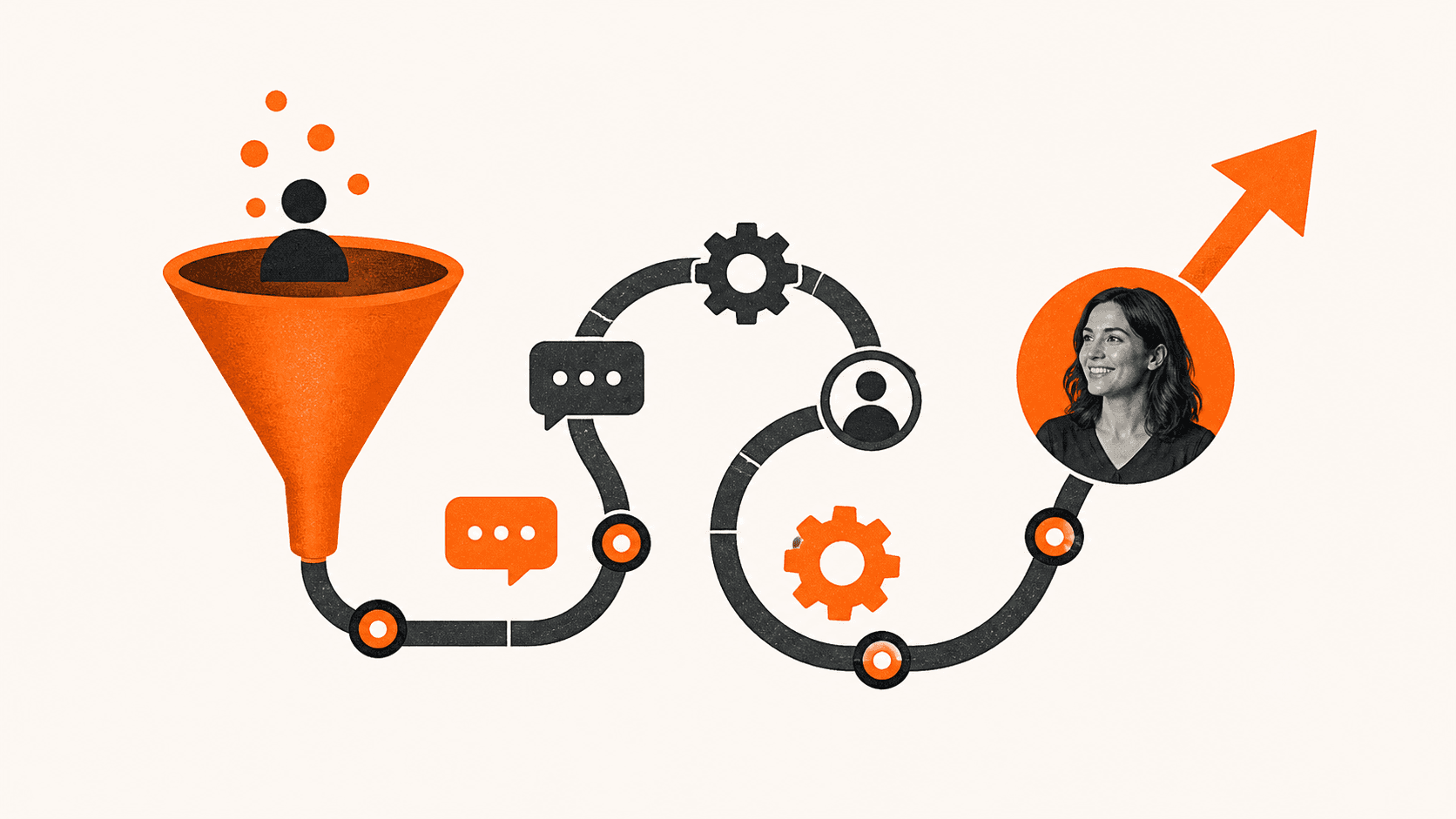
We use what we call The Invisible Sales Funnel. When someone clicks your ad, they should follow a clear, simple path:
- Ad to focused landing page.
- Landing page to call or form.
- Form to quick follow-up.
- Follow-up to booked call or appointment.
If any step is broken, your budget leaks. This is where your Three Channel Marketing System comes in.
For most local businesses, that means connecting:
- Google Ads for fast, targeted traffic
- SEO so you rise up the ranks over time and capture people who search your name later
- Retargeting and automation so you stay in front of people who did not book on the first visit
In practice, a real system looks like this:
- Google Ads sends specific searches to specific landing pages.
- Your main website and SEO help people who check you out after seeing your ad.
- Retargeting ads and email or text automation remind warm leads to come back and book.
Every lead from Google Ads flows into CedarCRM. No sticky notes. No hunting through email inboxes. No guessing which area the lead came from.
When you see all your leads in one place, you can cut wasted ad spend and focus on the 20 percent of keywords that bring in 80 percent of the profit.
Your Website Might Be Killing Your Ad Results
Many owners blame Google Ads not working when the real problem is the page those ads send people to. Your website or landing page might be:
- Slow on mobile
- Confusing to read
- Packed with options and no clear next step
- Missing any real local proof
Your cost per click is the same whether your page converts or not. If your landing page turns 2 percent of visitors into leads instead of 10 percent, you are paying 5 times more per lead.
Here is how that looks with simple numbers:
You pay $4 per click and get 500 clicks in Vancouver this month. That is $2,000 in ad spend.
- At 2 percent conversion, you get 10 leads.
- At 10 percent conversion, you get 50 leads.
Same spend. Very different result. The ad is not the whole story. The page is.
A strong Google Ads landing page usually has:
- A clear headline that matches the ad search term
- One main call to action like Call Now or Book a Free Estimate
- Local proof, such as Vancouver-based reviews, photos, or service areas
- A fast load time on mobile, since most local searches happen on phones
Then comes speed to lead. When someone calls or fills out a form, your team needs to respond in minutes, not days. Every missed call is a missed opportunity.
This is where CedarCRM and simple automation help you keep up. If you miss a call, the system can send a text right away that says something like, "Sorry we missed you. Can we book a quick call?" That saves leads that would have moved on to a competitor.
Your website is not just a brochure. It is a silent salesperson that should work all day and all night for your ads as part of The Invisible Sales Funnel.
The Local Edge of Google Ads Management in Vancouver
Vancouver is a competitive market. Contractors, dentists, law firms, and many other small businesses all fight for the same clicks. Poor Google Ads management in Vancouver means you pay more and still get weak leads.
Local context matters. Neighbourhood terms, bridge and transit references, and seasonal services all affect how people search. Someone in Kits may search differently than someone in Surrey.
Skilled local management usually includes:
- Tight keyword groups based on real intent, like emergency plumber instead of vague words like plumbing
- Smart location targeting around the neighbourhoods where your best clients live and work
- Ad copy that speaks to local pain points, like wet basements during heavy rain or AC breakdowns during a heat wave
Negative keywords are just as important. These are words you block so you do not pay for junk searches like free, jobs, courses, or DIY. Without them, you pay for clicks from people who will never become customers.
When your ads are tied into your Three Channel Marketing System, your Google Ads, SEO, and automation all support each other. Over time, that helps you rise up the ranks and usually pay less per real lead.
With CedarCRM in place, you can see which campaigns bring back repeat customers from Vancouver, North Van, Burnaby, or Surrey. That makes it much easier to decide where to focus your budget as seasons change.
Turn Your Ads Into a 90-day Growth Plan
You do not need a perfect Google Ads account. You need a clear 90-day Growth Plan that turns random clicks into a working system.
Here is a simple framework you can follow.
Days 1 to 30: Fix tracking and clean up
- Install proper call tracking and form tracking.
- Connect all ad leads into CedarCRM.
- Pause obvious junk keywords and bad ads that never bring leads.
Days 31 to 60: Build your Invisible Sales Funnel
- Create focused landing pages that match core searches.
- Tighten your offers so people know exactly what to do next.
- Improve speed to lead with better call handling and automated texts for missed calls.
Days 61 to 90: Scale what works
- Shift more budget to your best campaigns and keywords.
- Add remarketing so warm visitors see you again and again.
- Tune your Three Channel Marketing System so ads, SEO, and automation work as one.
This 90-day window lines up nicely with late summer into fall in Vancouver. If you act now, your system can be humming before your busy season hits.
The big ideas are simple.
- Track real leads and sales, not just clicks.
- Treat marketing as a connected marketing system, not a bunch of random tactics.
- Respect speed to lead so you do not lose hot prospects.
- Use CedarCRM and automation so no lead slips through the cracks.
Here is your next step: Pick one part of your Google Ads today, tracking, landing pages, or follow-up, and tie it into your connected marketing system. Once that piece is working, move to the next, and keep going until your Google Ads support a full Invisible Sales Funnel that turns traffic into booked calls and long-term customers.
Get Started With Your Project Today
If you are ready to bring in more qualified leads and track every dollar you invest, our team at Curve Communications is here to help. Explore how our Google Ads management in Vancouver can be tailored to your goals, budget and industry. We will work closely with you to refine your campaigns, improve performance and keep you informed with clear reporting. Have questions or want to talk through your options today? Simply contact us and we will follow up with a plan that fits your business.